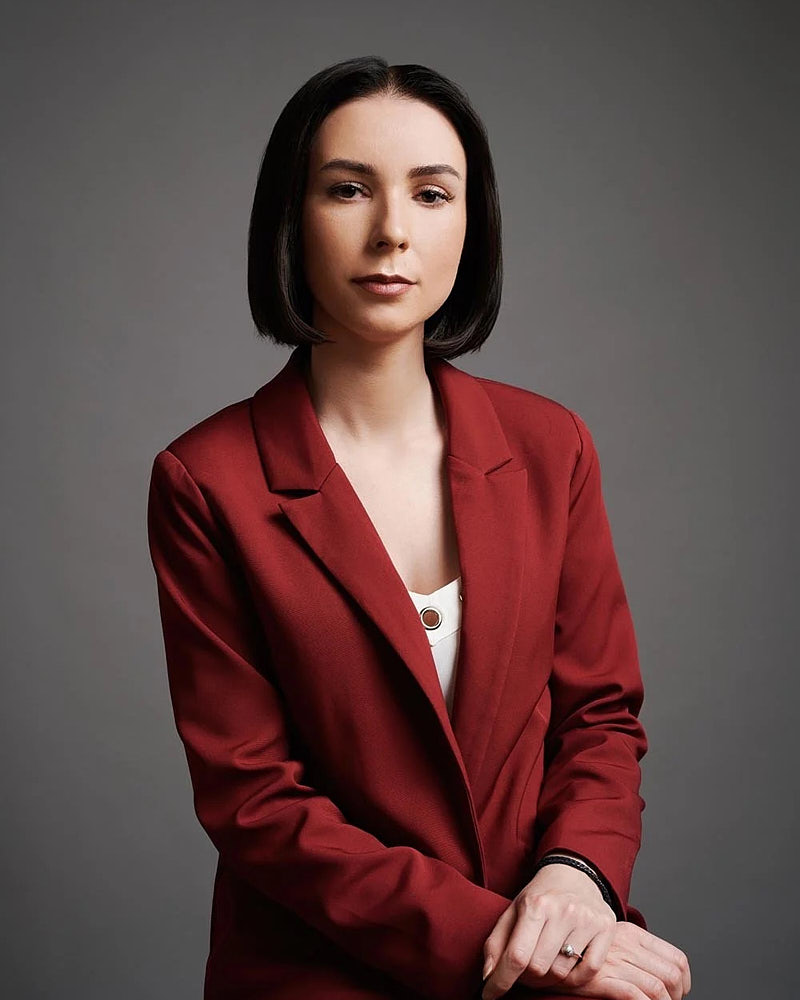
A company headshot page usually looks inconsistent when its portraits follow different visual rules: crop, background, lighting, editing or export. Diagnose the whole grid before replacing individual photographs. A short, repeatable image standard can help an office shoot and later in-person appointment fit the same page.
Review the grid at its real display size
Open the team page on a phone and a desktop. Look at the collection before opening any individual photo. Are some faces much larger? Do a few backgrounds draw all the attention? Does one row switch from tight portraits to waist-up photographs?
Record specific mismatches instead of labeling the page “unprofessional.” A strong portrait can look out of place inside an incompatible layout. The website may also be responsible: different image ratios, fixed crops or automatic focal points can make matching originals appear inconsistent.
Check the source files against the rendered page. Re-exporting or changing the website crop may solve a problem that does not require new photography.
Separate five common sources of mismatch
| Mismatch | First thing to check | Useful correction |
|---|---|---|
| Face size varies | Different crop ratios or camera distance | Agree on crop and face placement |
| Backgrounds compete | Color, brightness and visible context | Choose an intentional background family |
| Some faces look flat | Capture lighting and later edits | Compare a reference before retouching |
| Skin treatment varies | Different retouching instructions | Define the permitted edit approach |
| Images look soft | Small source files or heavy compression | Export from a suitable original |
An older photograph is not automatically a bad photograph. Replace it when the person no longer feels represented, the technical file is unsuitable, or it cannot fit the agreed standard. Do not assign an arbitrary expiry date just because portraits were taken in different years.
Write a one-page visual standard
Choose one approved reference and describe what should remain consistent. A practical standard includes:
- Background family: for example, a quiet neutral setting rather than an exact promise every room can match.
- Crop ratio and head placement for the website grid.
- General lighting character and how much contrast is appropriate.
- Wardrobe guidance broad enough to respect individual style.
- Retouching boundaries that preserve recognizable appearance.
- File dimensions, naming convention and where originals are retained.
- Who approves the first delivered example.
Use this standard for photographs, not for policing people’s appearance. Different hairstyles, expressions, clothing and assistive devices can belong in a coherent collection. Consistency should come from the production and layout choices.
Planning example: an LA company adding employees
Planning example, not a client case. An LA company has eight employees photographed on one day and four joining later. Its team page currently mixes cropped event pictures and old studio portraits.
The organizer first chooses a square display ratio and a neutral background direction. One reference portrait is checked in the actual web card. The first group can be photographed together at the LA office. The later hires receive the same visual brief and a separately confirmed studio or office appointment.
The practical goal is a reproducible portrait system. Different rooms and session dates still require setup checks against the approved reference.
Plan how the standard survives new hires
Save the approved reference, final export settings and original files in an accessible company folder. Name one person responsible for maintaining the set. Add portrait arrangements to onboarding so a new employee does not need to discover the process independently.
Discuss future sessions before the initial shoot. Ask whether follow-up studio appointments or office revisits fit the likely hiring pattern. Availability, scheduling and pricing should be agreed for the actual scope rather than assumed to be included indefinitely.
For a new program, the corporate image-brief overview helps define portrait and wider asset scope. The company headshot day checklist covers operational scheduling and handoff.
Make a crop-only check before ordering new photographs
Use the actual website card and the approved reference as your measuring guide. Try the same original at two crops, then view it beside the other portraits. Record what changed rather than calling either version universally correct.
| Check in the website card | Record before changing photography |
|---|---|
| Face scale | Whether the face occupies a similar visual area to the approved reference |
| Headroom | Whether the site cuts hair or adds an unusually large gap |
| Lower crop | Whether shoulders, hands or a chair enter some cards but not others |
| Source detail | Whether the original supports the required export |
The wider and closer portrait references below contain different amounts of body and setting. They illustrate why a shared aspect ratio alone cannot settle face scale. They are different portraits, not a customer before-and-after set.
Questions about a consistent team page
Must everyone wear the same color?
No. Compatible levels of formality and a manageable color range can work without a uniform. Review clothes against the proposed setting, especially where the website uses tight crops.
Can portraits from different dates fit one page?
Use the approved crop, background and lighting reference for each in-person session. Check one exported image in the actual website card before continuing. Different locations and dates can need adjustments.
Can editing fix every old photograph?
No. Editing cannot reliably restore missing resolution or a crop that removes needed parts of the portrait. Start by checking source files, then decide which images need replacement.
Who should approve the final images?
Agree on the decision process early. Participants can help choose a recognizable expression, while the organizer checks the collection against the visual brief and the website’s requirements.
For an LA office portrait day, see corporate headshots in Los Angeles. Send the existing team-page link and the number of people who need new photographs.